LinkedIn posts and business pages
LinkedIn posts for you and your company page, with designs in your brand
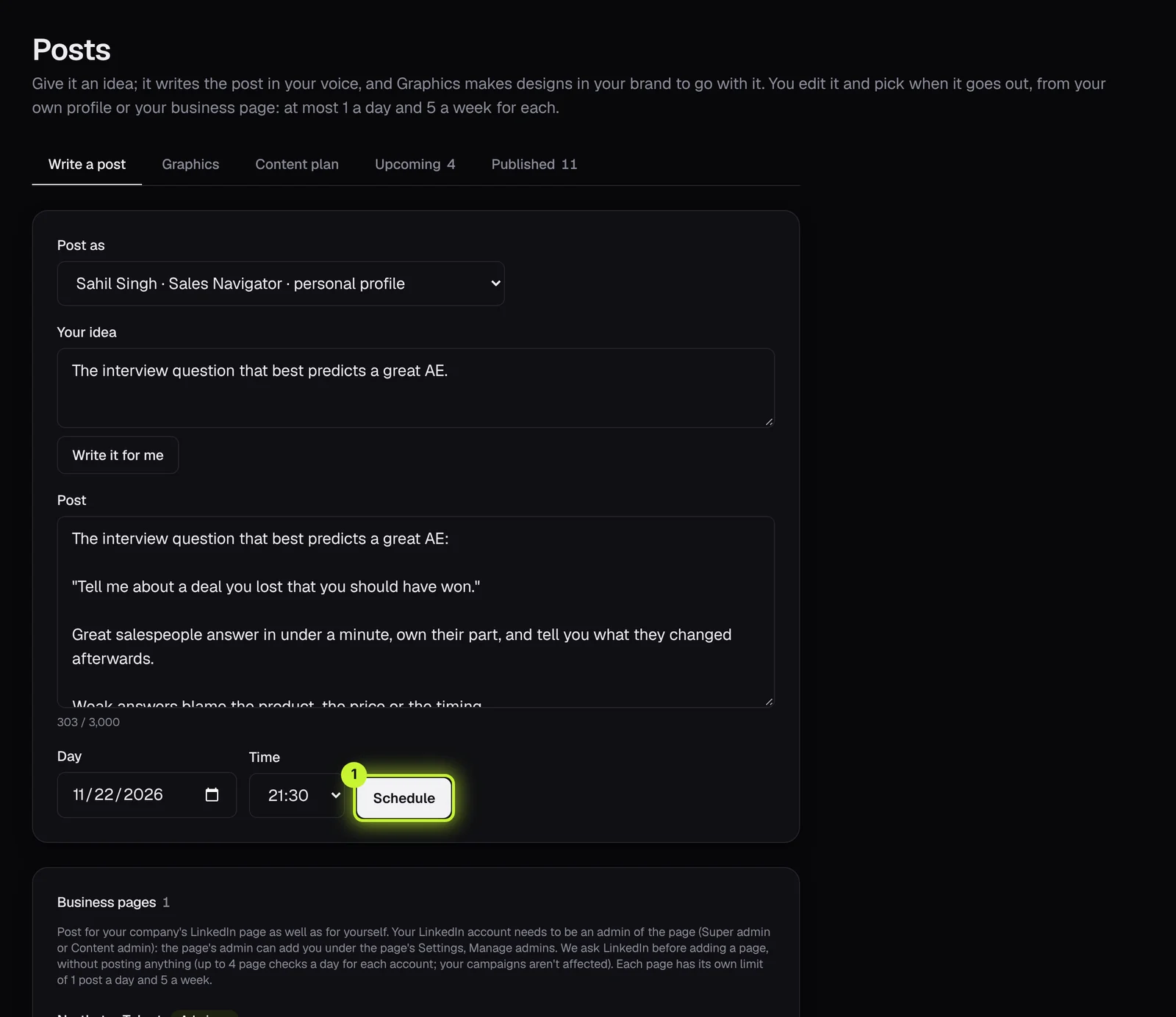
A post written from a one-line idea, ready to schedule
Written in your voice
Give it an idea: a lesson, an opinion, a result. The AI writes the post from your setup answers, and you edit it before anything goes out.
As you or as your company page
Post from your own profile or your company's LinkedIn page, from the same account. Before a page is added, we check with LinkedIn that you're an admin of it, without posting anything.
Graphics in your brand
Give it your logo, a PDF or presentation, or your website, once. Then up to 4 designs a day for your posts, one on an AI-made picture. A PDF can go out as a swipeable carousel.
A content plan
List the topics you want to be known for and get post ideas to pick from. One click turns an idea into a post.
Every post's numbers
Each post keeps its LinkedIn link and its numbers, such as impressions, reactions, comments and new followers, as you or as your page.
Reach the people who engaged
See who reacted or commented, and add them to a campaign or give them their own steps in one click. Anyone already contacted, or on your do-not-contact list, is left out.
How it works
- 1Connect your LinkedIn and, if you like, add your company page: we check you're an admin first
- 2Give Graphics your logo, a PDF or your website, once
- 3Write a post from an idea, add a design and pick the day and time
- 4Watch the numbers, and reach the people who react or comment
Set it up yourself in about 10 minutes
Step-by-step guides with pictures of every screen. Prefer a hand? Book a free setup call and we'll do it with you.
Book a free setup callQuestions people ask
Can I post as my company page?
Yes, if your LinkedIn account is an admin of the page (Super admin or Content admin). Paste the page's link once. We ask LinkedIn whether you're an admin, without posting anything, and add the page only when it says yes. Each account has up to 4 page checks a day, and your campaigns aren't affected.
How often can I post?
At most 1 post a day and 5 a week for you, and the same again for each company page, counted separately. Two posts from one account are at least 2 hours apart, and each goes out at the time you picked.
Does it post without me?
No. Only what you schedule goes out, and every post is yours to read and edit first.
What about posts I published myself?
Add an older post by its link: we read its numbers and who engaged, so you can reach them too.
Start reaching the right people this week
Free while we test, with the full product. No card needed. Set it up yourself in about 10 minutes, or book a free call and I'll do it with you.