The Feed
Find buyers on LinkedIn by what they post
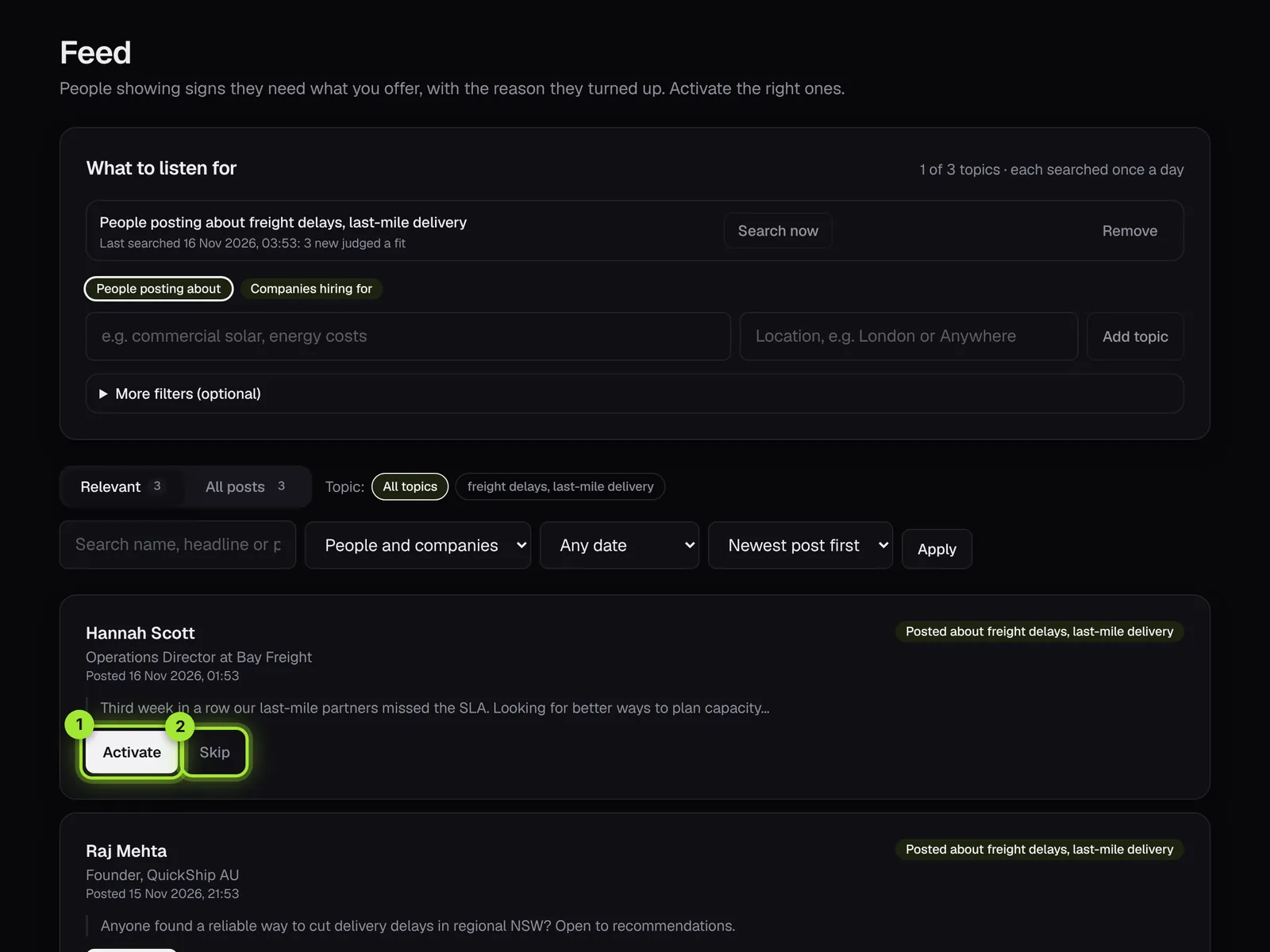
The Feed: people who posted about your topic, with the reason each one turned up
People posting about your topic
Add the words your buyers use when they have the problem. Each topic is searched once a day in your working hours, or when you press Search now.
Companies hiring for it
Follow the roles that show a company needs you, like a first sales hire for a sales recruiter or a finance manager for a bookkeeper.
Filters that narrow it down
Location, job title, industry and company of the person posting, a company they mention (a competitor, say), and who posted it.
The reason, not just a name
Each person comes with their post and why the AI judged them a fit. Everything else stays under All posts, so you can check.
Activate in one click
The AI drafts the steps and the messages for that person, mentioning what they posted. You check them, change anything and confirm.
It learns what you want
Skip someone with a reason, like wrong industry or too small, and the Feed gets better at picking. In Agentic mode it can activate the best people itself, inside every limit.
How it works
- 1Connect your LinkedIn on a secure page
- 2Add a topic: the words your buyers use, and a location
- 3Read who turned up and why
- 4Activate the right people: their steps start inside your limits
Set it up yourself in about 10 minutes
Step-by-step guides with pictures of every screen. Prefer a hand? Book a free setup call and we'll do it with you.
Book a free setup callQuestions people ask
Does the Feed contact anyone on its own?
Not unless you choose Agentic mode and switch it on. Otherwise nothing happens until you press Activate.
How many topics can I follow?
3 on a free LinkedIn account, 10 on Premium and 15 on Sales Navigator.
Does searching use up my outreach?
No. Searches are kept small and spread out, and come from the account's reading allowance, never from your outreach.
Start reaching the right people this week
Free while we test, with the full product. No card needed. Set it up yourself in about 10 minutes, or book a free call and I'll do it with you.