CRM and inbox
One inbox and a simple CRM for every conversation
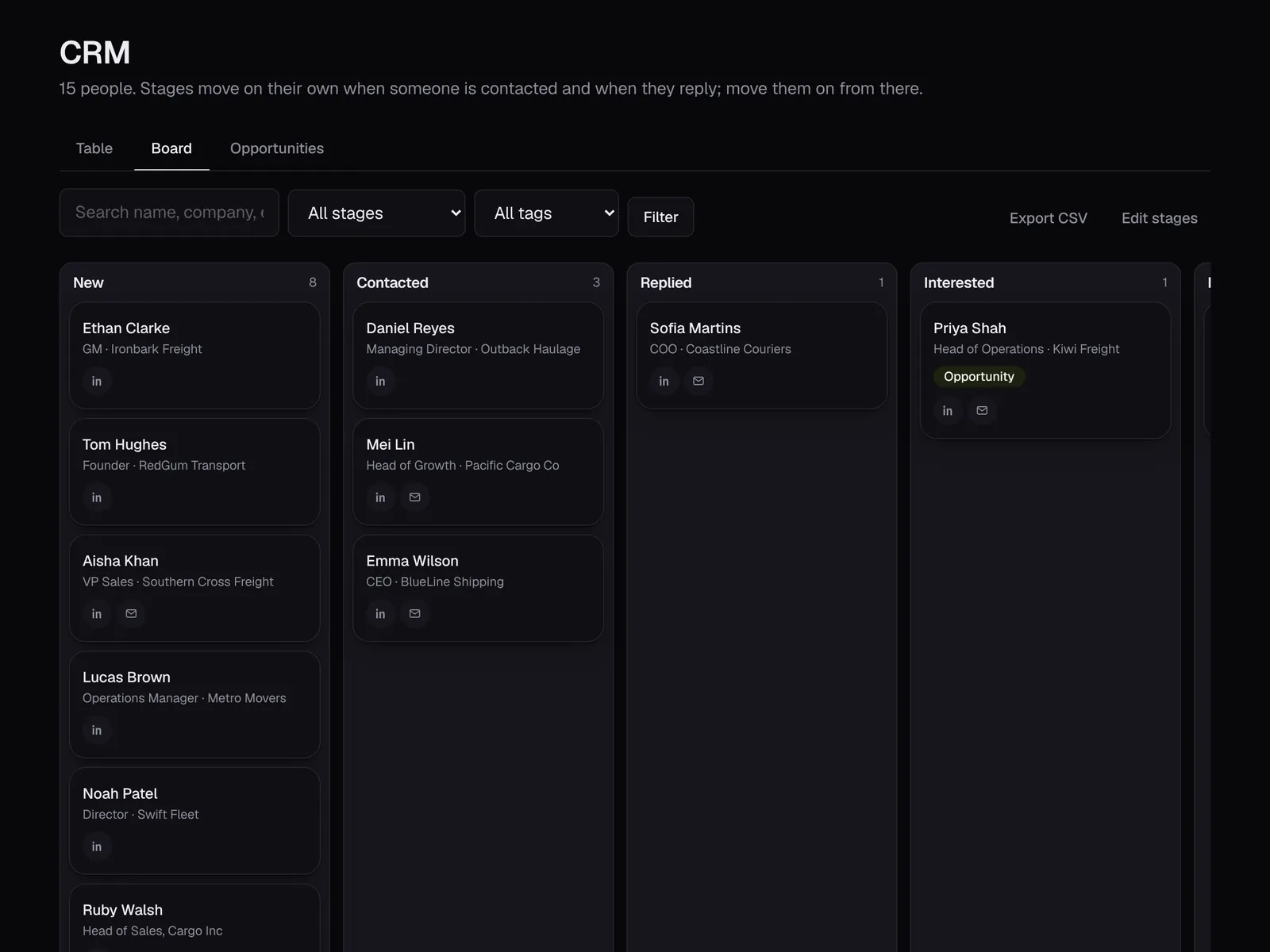
The CRM board: everyone you've reached, in columns by stage
One inbox, three channels
LinkedIn, email and WhatsApp replies together, with filters for unread and interested.
Replies drafted for you
A suggested reply in your voice is waiting in every conversation. Edit, send, done.
Stages that move themselves
New, contacted and replied update automatically. You move people on from there.
Tags, notes and history
Every message on every channel, plus your notes and tags, on one page per person.
Import your clients
Bring in your existing clients and contacts from a CSV and keep everyone in one place.
Export any time
Your contacts belong to you. Download them as a CSV whenever you like.
How it works
- 1Import your contacts or start a campaign
- 2Replies arrive in one inbox
- 3Answer with the drafted reply
- 4Track everyone on the board
Set it up yourself in about 10 minutes
Step-by-step guides with pictures of every screen. Prefer a hand? Book a free setup call and we'll do it with you.
Book a free setup callQuestions people ask
Do I need a separate CRM?
Not for most small teams. Outboundli's CRM covers stages, tags, notes and every conversation. You can export to another CRM any time.
Can my team share it?
Yes. Invite colleagues and choose whether each sees everything or only their own accounts.
Can I use it for existing clients, not just outreach?
Yes. Import your client list and use the CRM and inbox to keep in touch.
Start reaching the right people this week
14 days free with the full product, no card needed. Set it up yourself in about 10 minutes, or book a free call and I'll do it with you.